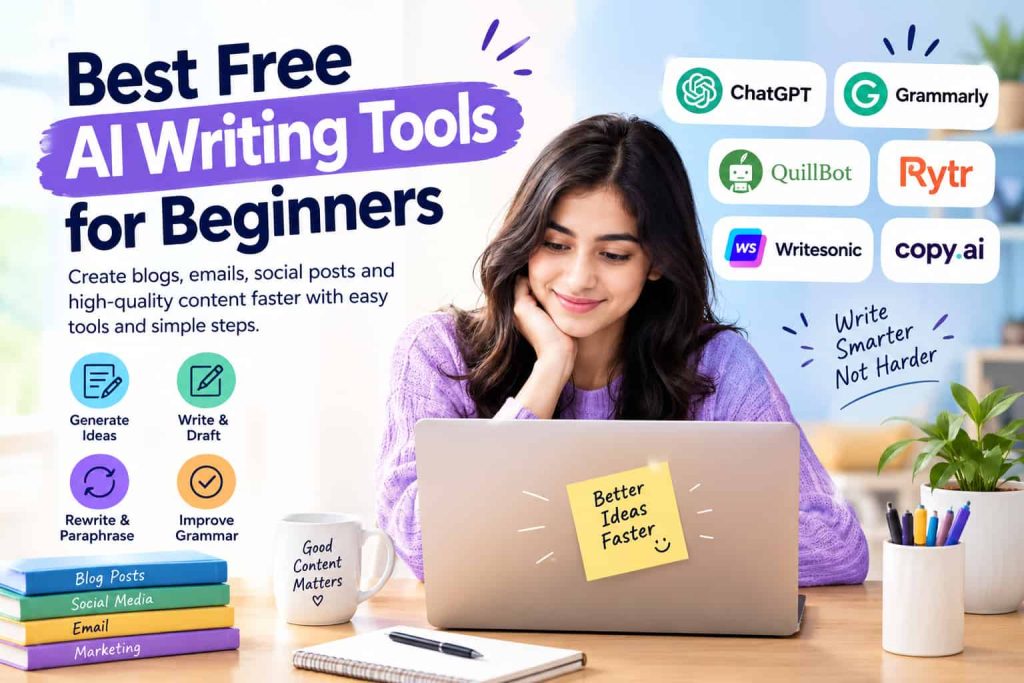
Discover the Best Free AI Writing Tools for Beginners to create blogs, emails, social posts, and free ai content generator with simple features and easy steps. Are you new to AI writing and unsure which tool to try first? The right free AI writing tool can help beginners create clear, useful, and polished content without advanced skills.
Best Free AI Writing Tools for Beginners
Whether you’re drafting blog posts, emails, social media captions, product descriptions, or website content, writing can be a time-consuming task. For novices, selecting the right words and structuring thoughts could be challenging. AI writing tools can help with the ideation, drafting, rewriting, grammar, and organizing content.
The majority of AI writing platforms have free plans or free features that enable new users to explore AI-driven writing without paying upfront. But, each tool functions in a different way. There are some that are more suitable for general writing, and others more grammar-focused, for rewriting, research or marketing writing. The Best Free AI Writing Tools for Beginners are typically the ones that are easy to use, offer helpful free features, and provide clear and simple results. They can be used as writing helpers and you don’t have to rely upon them to create all of your content.
Why Beginners Use AI Writing Tools
One of the most difficult things to do when writing is to get started. Though you have a good idea of the message you wish to convey, you are unable to put it into coherent sentences. AI can be a tool to overcome this starting point. A first timer can type a short instruction, a question, a topic or a rough paragraph and have it suggested to them how to write it. This output can then be examined and altered as per the purpose of the user.
Best AI writing tools can be used to enhance current content. For instance, an AI assistant might be able to provide a more understandable alternative to a confusing paragraph. It comes in handy for students, bloggers, freelancers, small business owners and anyone who writes online on a regular basis. Its primary benefit is not just to produce text faster. Having an on-demand writing assistant for ideas, structure, and editing can make the writing process easier for beginners.
The features that are important to look for
Beginners need to know what free AI writing app offer and what they can do to make their writing easier before selecting a platform. A complex tool may not be more beneficial than a simple one which is designed to do basic tasks well.
Important features include:
- Easy to use interface: The interface should be user-friendly, accessible without any technical expertise.
- Idea generation: It should aid in the generation of topics, outlines, titles or content ideas.
- Rewriting: Beginners should be able to revise sentences without rewriting the whole sentence.
- Grammar support: Basic spelling, grammar and punctuation provide some assistance.
- Flexibility in content: The tool should be able to be used in various content types like email, blog, caption, and description.
- Free access: A novice should be able to try out useful features before having to sign up for a paid plan.
For general writing help, ChatGPT is a useful tool to use
For those who are just beginning their journey, ChatGPT can assist them in having a single flexible AI companion for various writing tasks. Users may submit a topic and request ideas, outlines, drafts, rewrites, explanations or editing suggestions. A blogging novice who is about to help me write ai article may request an outline for the post before drafting the full article. If a person is creating an email message, they may explain the significant points and request a professional version.
Instructions are critical in determining the quality of the result. Typically, a more specific prompt will yield more valuable content than a very general request. It’s also important for beginners to go over the text that was generated, too. AI may generate inaccurate data, redundant phrases, or text that is inappropriate for the target audience. However, editing is still a crucial process.
Grammarly for Writing and Editing
Grammarly is a popular tool for proofreading and editing any written material. Its writing assistance can help beginners identify grammar, spelling, punctuation, clarity and style problems. It is helpful in improving existing written text when the primary purpose of the writing is to improve the text. The suggestions are useful for a beginner who has written a paragraph naturally, which they can then make clearer.
Grammarly will be especially helpful for emails, tasks, work-related messages, website content, and general online interaction. Its free features might suffice for simple writing enhancement, however some advanced tips will need a paid plan. A beginner should first understand the features offered by the available free version before assuming that a particular function is available.
QuillBot for Rewriting and Paraphrasing
If you are someone who does a lot of rewriting of existing sentences, you can choose QuillBot as well. It can paraphrase to alter the wording without changing the overall message of a text. It may be helpful for people who are beginning to use a language. Users can see what alternatives to the paragraph are available and select what suits their message best, rather than editing the paragraph by hand.
QuillBot can also help you enhance sentence flow and try out various sentence structures to convey an idea. But paraphrasing should not be regarded as a means of copying from another person or masking the source of the text. Original ideas, proper citations, and human review are still relevant, particularly for academic and professional content.
Rytr for Quick Content Creation
Rytr is built around several common writing tasks and may be beneficial to those who are just starting out and require guidance. Users can edit marketing copy, email, social media, product descriptions and other short-form writing depending on the plan and features available. It can simplify the process for an individual who is not familiar with writing detailed AI prompts, thanks to its template-like approach.
For instance, a user can choose a content type and fill in the basic information, rather than going through all the requirements at the start. The tool can then develop an initial draft. There may be caps on the amount one can use and users should take into account how much they will write each month when trying out the platform.
Completes Copywriting for Content Ideas and Marketing
AI-powered writing tools are offered by Writesonic for content development and marketing. If you are looking to get some inspiration for generating ideas, headlines, descriptions or a full-length piece of content, it might be helpful for you to use it. AI can generate a preliminary marketing copy, which can then be fine-tuned to align with the brand’s voice. This is often a more feasible way to publish generated text than without review. Writesonic’s free features and usage restrictions may evolve over time, like other platforms. Users should review plan specifics prior to using it for regular work.
Copy.ai for Marketing Content
Copy.ai has a particular emphasis on business and marketing content. It can help with social media copy, marketing messages, product-related content, and more. This is a workflow that can be useful for beginners who are beginning to work as freelancers or manage content marketing for a small business. They don’t have to start from scratch, but can use AI to generate a rough draft and then customize it. The best responses typically follow when the user gives the tool information about who they are trying to reach and what information is being sought.
Selecting the appropriate tool for the job
There is no magic app that is the same for all beginners. The one you choose should be based on your preferred type of writing help. A general-purpose AI assistant might be appropriate when you need a flexible and versatile assistant for questions, ideas, outlines, and various types of writing. An editing-based website might be more useful if your primary focus is on grammar and clarity.
If you need to rewrite your text, a paraphrasing tool might be the workflow that you require. It is also essential to compare the free plans. A platform can be free for users, but hide key features behind a subscription. By looking at word limits, daily usage, templates, exporting, and advanced features, you can be prepared for unexpected results.
Here are some tips for achieving better AI writing outcomes
The approach you adopt with an AI tool can significantly impact the results. Short but specific prompts are more helpful to direct the tool’s output than a general topic. Explain to the tool what you’re writing, who will read it, what tone you are going to have, and what information should be included. It is possible to also set the length and format desired.
If you ask for a blog about fitness, you may get a piece of ai content generation tools that is difficult to read, has a lot of small details, and is written in complicated English. But, if you ask for a beginner-friendly article about home workouts, written in simple English with clear headings and practical examples, you’re likely to get a blog that you can easily read. Once you have received the result, read it through carefully. Trim out sentences that are not essential, correct any factual errors, include personal experience when it’s appropriate and ensure the final piece is natural sounding.
Is it enough for a beginner to use Free AI Tools?
Free Ai tools suffice for getting a basic grasp of AI-assisted writing and for most simple tasks. They can test out prompts, rewriting, editing, brainstorming and content planning without buying a subscription. But free versions may have usage restrictions. Some may limit the number of word counts, templates, or advanced models you can get within a specific timeframe.
These restrictions might not be significant for occasional Ai help with writing. If a person has a lot of content and documents to create daily, they may eventually require more capabilities. The key is to know what you really need and only pay for it. Trialing a free version first can be useful in determining if the platform is right for you and your workflow.
How AI can be used without sacrificing your voice
AI should be a creative tool to aid your writing, not replace your own ideas. A paragraph generated by the system can be grammatically accurate but be impersonal or not be reflective of your personality. Novices can enhance their outcomes by including their own experiences, opinions, and details. This helps to make the total content relevant to actual readers.
It’s also a good idea to review each major claim prior to posting. The information generated by AI might be wrong, incorrect, or require some context. A strong workflow is straightforward: use AI to brainstorm, draft, organize, or edit, then use human judgment to review and finalize.
Final Thoughts
Best Free AI Writing Tools For Beginners can make your everyday writing experience easier, provide idea suggestions, help me write this better and organize your thoughts, rewrite content, correct grammar and create first drafts. There are various Ai tools list like ChatGPT, Grammarly, QuillBot, Rytr, Writesonic and Copy.ai, and the best one depends on the content type you are creating.
New users should begin with the tasks that they need to perform and use free versions until they are sure that they can benefit from extra features. Most importantly, AI-generated text should be reviewed, edited, and tailored to the specific audience before it’s published. In this capacity, AI can serve as a valuable writing tool without taking over the creative process, leaving the final ideas and decisions to the user.
FAQs
What are the Best Free AI Writing Tools for Beginners?
Some of the most popular AI writing tools are ChatGPT, Grammarly, QuillBot, Rytr, Writesonic and Copy.ai. These platforms have various features best ai for writing, editing, rewriting, or marketing.
Can beginners use free AI writing tools easily?
Yes. Most AI writing tools can take basic directions. Beginners can start with simple prompts and gradually learn to give more specific instructions.
Can you use free AI writing tools for free?
Not always. Many sites offer free access but have restrictions on words, requests, or advanced features. Paid subscriptions may be required for additional capabilities.
Can AI writing tools create blog posts?
Absolutely, there are numerous AI tools free that can assist with brainstorming blog ideas, structuring them, creating introductions and sections, and even producing a draft. The final article should still be reviewed and edited by a human.
Should AI-generated content be published by beginners without modification?
It is preferable to read and tailor AI-generated material before publishing. Fact-checking, rewording, adding original information, and tailoring the content to the audience can make it more useful.