Barcode Scanners are an incredibly useful tool if you need help managing products and monitoring your inventory, and are able to retrieve information quickly and accurately. Whether you are using a barcode scanner application, carrying one around in your handheld scanner, or using one on the Internet, all you need is one quick scan, and you are able to retrieve information instantly.
This article provides an overall insight into barcode scanner technology and its functioning, the use of a barcode scanner on an iPhone, and everything that you can learn about QR barcode scans. This article will also provide you with effective tips that will help you determine which method of scanning you want to use in both your personal and professional life.
What is a Barcode Scanner, and How Does It Work?
A barcode scanner is an optical tool that captures and decodes data from barcodes. It sends information right away to a device, app, or system.
Think of it like a translator for those black-and-white lines. Modern scanners take everything from classic UPC codes to complex 2D patterns.
Here’s the simple breakdown:
- Illumination: A red LED light or laser from the scanner shines onto the barcode.
- Reflection capture: Sensors detect light that bounces back, identifying dark bars against light spaces.
- Conversion: A decoder chip converts the pattern into readable text or numbers, such as a product ID or URL.
This happens in milliseconds. No wonder manual entry feels ancient by comparison.
Traditional typing leads to mistakes and slows things down. Scanners provide nearly error-free accuracy, even on damaged labels, thanks to AI enhancements from companies like Cognex.
Denso Wave, the inventor of the QR code, emphasizes how this evolution has reduced human error globally across industries.
What is a QR BarCode Scanner?
A QR barcode scanner specializes in Quick Response, or QR codes. These square, pixel-based patterns hold a great deal more information than the standard 1D barcodes.
QR codes store URLs, contact details, payment information, or even product histories. They enable a range of immediate actions, from opening websites to adding events.
Key benefits?
Fast scanning from any angle, error correction for partial damage, and huge data capacity.
Fun fact: QR codes were developed in 1994 by Denso Wave for automotive tracking. Today, they drive contactless menus, digital wallets, and eco-labels sharing sustainability details.
“Want deeper insights? Check out Yolobit for expert tips and resources.”
Barcode Scanners: How to Choose the Right Type
Barcode scanners cater to every need and budget, from a pocket-friendly app to rugged warehouse tools.
Here’s a breakdown of the main types:
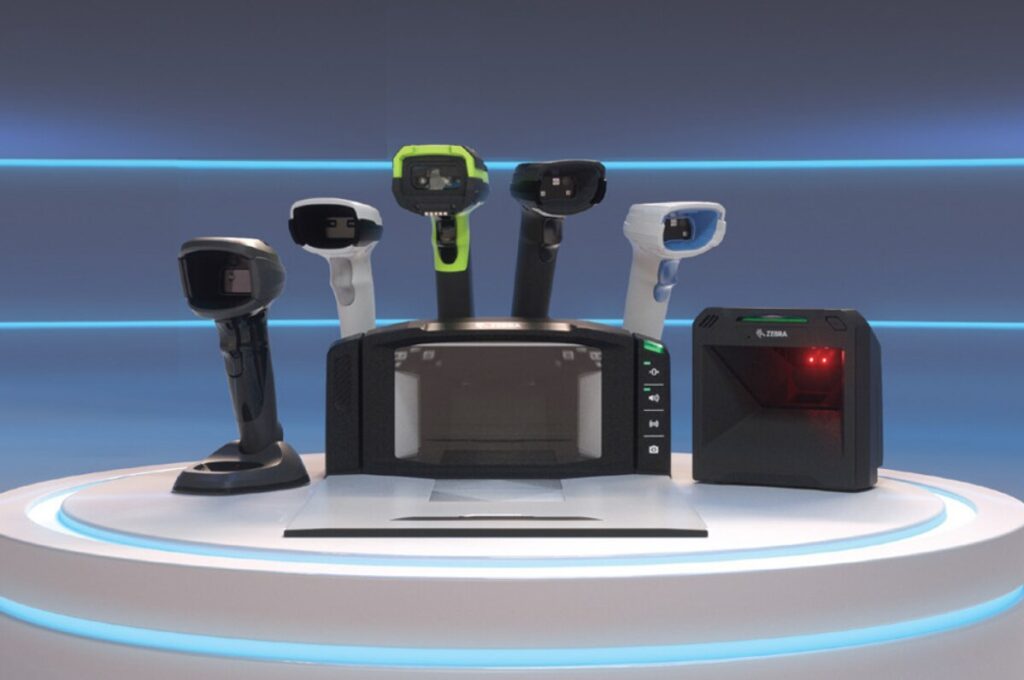
- Handheld barcode scanner: Zebra DS series or Inateck AI models; portable powerhouses for a retail floor or warehouses that need mobility and tough builds.
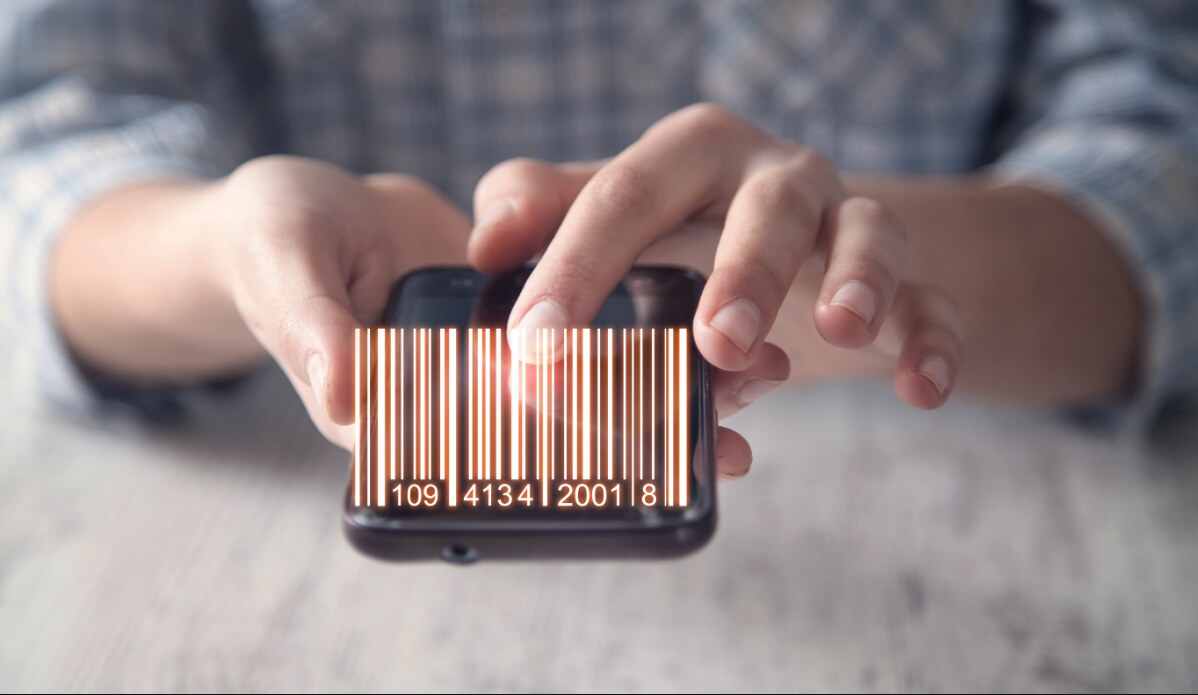
- Mobile barcode scanners: The smartphone-based solutions, like QR & Barcode Scanner by Gamma Play or Kaspersky QR Scanner, can turn your phone into a scanner. The perfect fit for personal use or small teams.
- Barcode scanning online: Online tools such as the free barKoder scanner or Cognex uploads. Ideal for quick, hardwareless scans from images.
- Fixed or presentation scanners: Stationary units such as Honeywell units for checkout lanes. They handle high-volume scans hands-free.
To help compare, here is a quick table based on reviews from BarcodesInc and Scandit:
| Type | Portability | Cost Range | Best For | Sustainability Edge |
|---|---|---|---|---|
| Handheld | High | $200–$800 | Warehouses, field work | Durable long-life batteries |
| App-based | Highest | Free–$20/year | Personal, small business | Zero hardware waste |
| Online | Medium | Free | Remote/flash checks | No physical device required |
| Fixed/Presentation | Low | $300–1,000 | Retail counters | Energy-efficient models. |
Consider energy-efficient alternatives coupled with recyclable materials to minimize your ecological footprint.
How to Operate a Barcode Scanner: Step-by-Step Guides
Ready for your first barcode scanner scan? Easier than you might think.
General steps for most devices:
- Place the scanner 4–12 inches away.
- Align the light beam or camera frame with the code.
- Pull the trigger-or tap scan.
- Wait for the beep or confirmation.
- Verify data appear correctly.
Make it fun: Next grocery trip, scan items to instantly compare prices or check their origins.
How to Use a Barcode Scanner on an iPhone
Apple makes it easy: no additional apps required, since iOS 11
Quick Steps:
- Launch the Camera app.
- Point the camera at the barcode or QR code; it auto-detects.
- Wait for the yellow notification banner.
- Tap it to open the link or view details.
For saved images: Open Photos, view the picture, and tap the Live Text icon or long-press to detect codes.
Pro tip: Add the Code Scanner to Control Center for one-swipe access. Use in concert with apps like Shopify for advanced inventory scans.
How to Use a QR BarCode Scanner
For dedicated QR scanning:
- Download any reputable application, such as Kaspersky or TrendMicro, which also scans for malicious links.
- Grant the camera permission.
- Open the app and frame the QR code.
- Follow on-screen prompts—tap links safely.
Safety first, stick to reputable apps. These will warn you about dodgy codes and help protect your data in the era of rising QR-based threats.
Advantages of Barcode Scanners in Business and Day-to-Day Life
Why adopt barcode scanners? The benefits are game-changing.
Core wins:
- Efficiency: Speeds inventory and checkout by 10 times, per NetSuite and Scandit reports.
- Accuracy: Reduces errors by up to 99%, especially with AI decoding damaged codes – Cognex data.
- Cost Savings: Reduces overstock wastage and labor hours.
Small shops employ handheld barcode scanners for immediate tracking, while shoppers scan on the spot for reviews or allergens.
Unique edge: Sustainability. Precise inventory prevents overproduction. QR codes share carbon footprint data, empowering eco-conscious buys—backed by Scanbot SDK and World Economic Forum insights.
For deeper insights into analyzing business data, check out our “Master Data Analytics: Tools, Skills & Career Guide.”
Implementing Barcode Scanners: Tips to Success
Start smooth:
- Assess needs—mobile for field work? Integrated for POS?
- Choose compatible software, for example, Zebra or Honeywell ecosystems.
- Train teams in short sessions with a focus on common scans.
- Test in real scenarios for best results.
Common hiccup: Integration glitches. Solution: Check APIs early; guides from Finale Inventory or manufacturer support are helpful in this case.
Environmental Impact and Sustainability of Barcode Scanners
Barcode technology drives good change.
Wins:
- Cuts paper receipts and manual logs.
- Enables supply chain tracing for ethical sourcing.
- Shares product lifecycle info via QR, encourages recycling.
Standout innovation: invisible barcodes-UV or digital watermarks-enhance sorting accuracy without visible marks on packaging, reducing recycling errors. Packaging Gateway.
AI integration translates into fewer failed scans and less waste. When possible, choose brands prioritizing recyclable materials and low-energy designs.
Go green: Opt for refurbished or durable models that ensure genuinely sustainable operations.
Future Trends in Barcode Scanners
AI’s breakthrough year for scanning.
Highlights:
- AI decodes tricky codes on curved surfaces or in low light by Scandit and Anyline.
- IoT links scanners to real-time analytics.
- Blockchain verifies authenticity in supply chains.
By 2026, everyday devices could have embedded AI, ultimately making scans smarter and more sustainable than ever.
FAQs
What is a barcode scanner?
An optical device that reads barcodes and converts patterns into digital data for use right away in inventory, shopping, or tracking.
How to use a barcode scanner on an iPhone?
Open Camera and point at the code; tap the notification. Or use Control Center’s Code Scanner for quick access to it.
What are the benefits of using a handheld barcode scanner?
- Superior mobility for warehouses.
- Rugged durability
- Provides fast, accurate scans even on damaged labels.
- Real-time Integration with Inventory Systems.
How does barcode technology help support sustainability?
It reduces waste by managing stocks more precisely, traces eco-friendly supply chains, and provides recycling information via QR code, but also emerging invisible marks for improved material recovery.
Can I use a barcode scanner online, without using any hardware?
Yeah! With tools such as barKoder or Cognex, you can upload images for instant decoding, perfect for remote or hardware-free needs.
Conclusion
From an understanding of what QR barcode scanner technology is, to ways of using a barcode scanner on an iPhone or selecting a reliable handheld barcode scanner, quite clearly, the modern barcode scanner is more than just a scanning tool: it improves accuracy, saves time, and fosters smarter and more sustainable decisions.
The technology of barcode scanning is continuously improving, and the adoption of the right app or solution for barcode scanning can really streamline workflows and reduce waste. Begin using barcode scanners today, since one simple scan may result in better efficiency, transparency, and control.