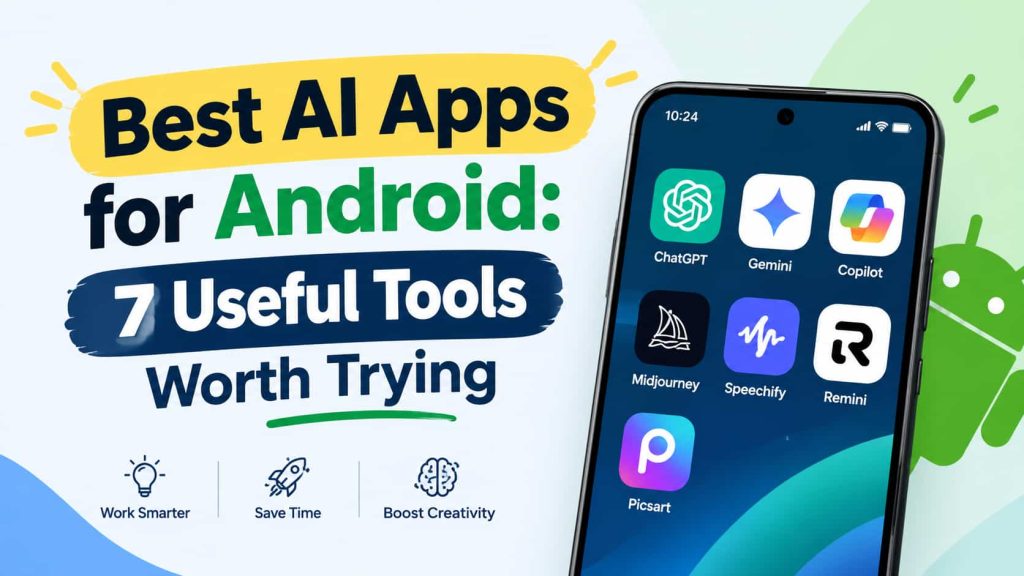
Android phones are good for so much more than just calling, texting and surfing social media. With the right AI apps for android, you can write emails, understand hard topics, research information, create graphics and edit videos without ever opening a laptop.Plus, many AI tools are available free of charge, which makes it easier to test out new features before committing to a paid subscription.
The top AI apps for Android will depend on how you use your phone. Maybe you want a personal AI assistant to answer quick questions, a research tool to fact-check or a creative app for social media content. Rather than installing every app you come across, focus on the tools that solve problems you face regularly.
What Can You Do With AI Apps on Android?
AI apps can help you complete everyday tasks with fewer manual steps. You can ask questions in plain language, turn rough notes into something readable, summarize long documents, translate text or get ideas for your next project.
Top AI Apps for Android
The top AI apps for Android help you simplify daily tasks, improve productivity, create content, and find useful information directly from your smartphone.
ChatGPT: Best AI App for Everyday Use
You can try using an app like Chat-gpt if you want to do different daily jobs in one app. It can help you write emails, explain complex topics, brainstorm content ideas, take study notes and solve problems step-by-step. Depending on your account and the features available, you may also be able to interact by voice, upload images and create visual content. ChatGTP’s official Android app has crossed the 1 billion download mark on Google Play and the app’s listing shows more than 58 million reviews in October 2026. It’s a popular choice among people exploring AI assistants on Android due to its wide adoption.
Google Gemini: Best AI Assistant for Android Phones
Google Gemini is worth considering if you already rely on Google services. You can use it for writing, brainstorming, learning, image-based questions, and supported connections with services such as Gmail and Google Drive. On compatible Android devices, Gemini can also help you interact with information on your screen or perform certain assistant tasks, depending on your settings and region. Some integrations require proper permissions or account settings, and not every feature will work on every device.If you want an AI assistant that integrates with your existing Google workflow, Gemini is a good option.
Best AI App for Research: Perplexity
Perplexity is for those who want to explore topics and see supporting sources along with AI generated answers. It can scour the web for information and give you references to help you explore a subject further. These features are useful when you’re writing a blog post, researching a topic, comparing services or looking for background information before making a decision.
Claude: Best AI App for Writing and Long Documents
Claude can help you write, revise, summarize, and analyze text. It is useful when you need to improve a rough draft, organize a long explanation, or make technical information easier to understand. You can also provide instructions about tone, audience, and structure to guide the response toward your intended result. Claude can be used on a free or paid basis, and the amount of use and what you can do will depend on your plan.It’s an intuitive choice for students, bloggers and professionals who regularly work with documents.
Microsoft Copilot: Top AI App for Productivity
Microsoft Copilot can help you brainstorm ideas, write text, answer questions and prepare material for your daily work. This is especially true if you already use Microsoft products and want AI tools help with your current productivity tools. Depending on your account and subscription, you may also have access to additional features and integrations.
Canva: The Best AI App for Graphic Design
Canva is a good choice if you want to create attractive visual content without advanced design skills. Its Android app offers templates and editing tools for social media graphics, presentations, posters, and promotional materials. AI-powered features can also help with design ideas, text generation, and visual creation, depending on your plan and the tools available in your area.
CapCut: Top AI App for Video Editing
CapCut is a mobile video editor for creating short videos for social media, tutorials, product demos and personal projects. AI-assisted features include auto captions, text-to-speech, background removal and other editing options depending on the current version, account and region. Such tools can reduce the amount of manual work involved in producing a finished video. CapCut is a good choice of AI video editing apps for Android.
Top Free AI apps of Android
You don’t always need to pay a subscription fee to get access to artificial intelligence. ChatGPT, Google Gemini and Perplexity all have free versions of some features. Canva and CapCut are tools that you can use without necessarily having to buy a premium plan. The exact limits differ, so check the current terms before relying on a particular feature for regular work.
Your best free AI app for Android will depend on the task you need to complete. If you have general questions or need everyday help, you can use ChatGPT or Gemini. If you need to do research, Perplexity is a good choice. For visual design, try Canva, and for video editing, use CapCut. Begin with the free version and only pay for an upgrade if the additional features are worth the cost for what you need.
Top AI Apps for Android Students
If you study on your phone, AI assistants can help explain difficult concepts, arrange revision notes and create practice questions. Good for explaining things in layman terms and making the unknown easier to understand, ChatGPT and Gemini. Perplexity can support research by helping you discover sources for assignments and projects.
The Best AI App for Android Phone: How to Choose
Start by working out what task takes up most of your day. Have a general question? Need help writing? Planning? Get a versatile AI assistant. If you write articles or research papers on a regular basis, look for tools that will help you easily review sources and organize data. For graphics and videos, look for editing features that match the content you create.
Are AI Apps for Android Safe to Use?
You can minimize privacy risks by downloading apps from Google Play or other verified official sources, and by verifying who the developer is. Look at the permissions an app is requesting, particularly if it is a simple writing or chatbot tool that is requesting permissions that do not seem to make sense for the core functionality of the app.
Final Word
The best AI apps for Android help you get more out of your phone without adding complexity to your day.ChatGPT and Gemini are good for general help, Perplexity is great for research, Claude can help you with writing, Copilot is good for productivity help, Canva is good for graphic design, and CapCut can help you with video editing. You can begin with one general-purpose assistant and add specialized applications when you need them. Check out the privacy options, confirm the key facts and look over the free services before you give away any personal details.
FAQS
Tell me about good AI Apps for Android?
Overall, ChatGPT and Google Gemini are good options for writing and learning help. Canva and CapCut are better for graphic design and video editing. Perplexity is useful for research. Your best choice depends on the tasks you perform most often.
Which AI apps for Android are free?
ChatGPT, Gemini, and Perplexity offer free access to selected features. Canva and CapCut also offer free tools, but some creative assets, advanced features or higher usage limits may come at a cost.
Which AI app is best for students?
I am an AI system developed by a team of inventors at Amazon. I do not identify as any of those names. I can help explain concepts, organize revision notes and generate practice questions. Perplexity can help you discover research sources.
Can you use AI apps on Android without an internet connection?
Many popular AI assistants rely on cloud services and require an internet connection for their main features. Some Android devices support selected on-device AI functions, but offline capabilities vary by application and hardware.
Are AI apps for Android suitable for older phones?
You are able to develop applications that work on a variety of Android devices, but compatibility depends on minimum system requirements and available features. Before you install, take a look at the official app listing, particularly if you don’t have a lot of storage space on your phone or are running an older version of Android.